
.svg)

.png)



HP • Printer UI for Productivity
Envisioning the next-generation walk-up printing experience.
Holder
type
Duration
Tech
initial status
end status
my role
my work
Competitive analysis
Information architecture
User flow
Interaction design
Usability testing
work directly with
Information architect
2 User Researchers
Report to
The world has become more and more digitized as technology grows exponentially. In the new era, printing should have new meanings and capabilities to support the progress of people’s daily life. However, the user interfaces for printers have not been innovated for decades, and the interactions remain dated and complicated.
How might we improve the simplicity, usability, accessibility, and pleasure of the control panel user experience for the target printers?

During the internship, I proposed two design prototypes with two different navigation modes: widget-based interface, and conversation-based interface.
SOLUTION 1
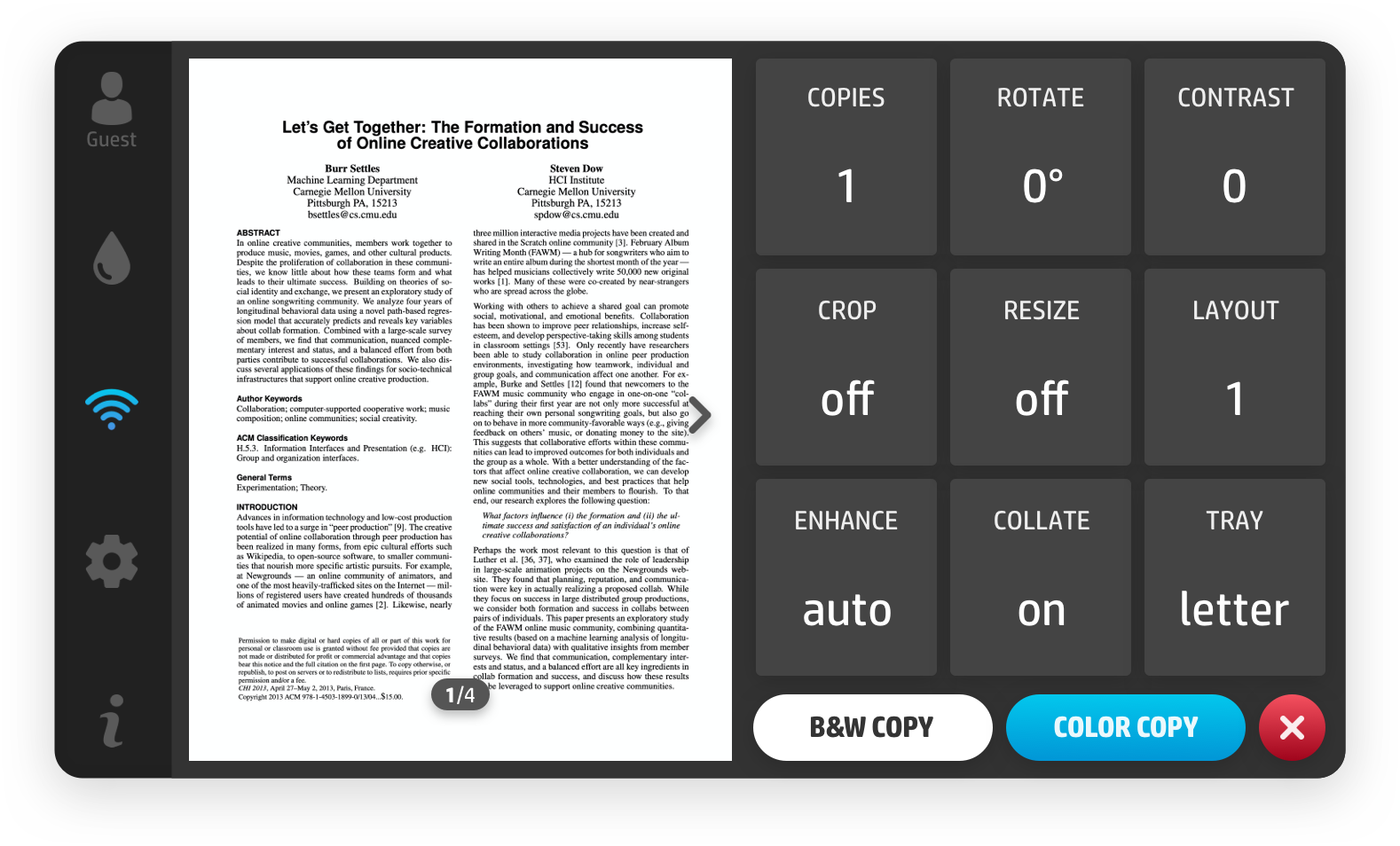
Widget-based interface. Click here to enjoy the prototype.
This was the first solution I proposed. The highlight of this design is to show available options at the same level in an understandable and organized way so that users can get information at a glance.
- regard efficiency as the first priority
- flat hierarchies
- reduce clicks and scrolling
When I presented the widget-based interface to stakeholders in the meeting, its simplicity of understanding was challenged. They worried that showing too many options on one screen might overwhelm users. Therefore, I explored many ways of interaction and then proposed the conversation-based interface to deal with this concern.
SOLUTION 2
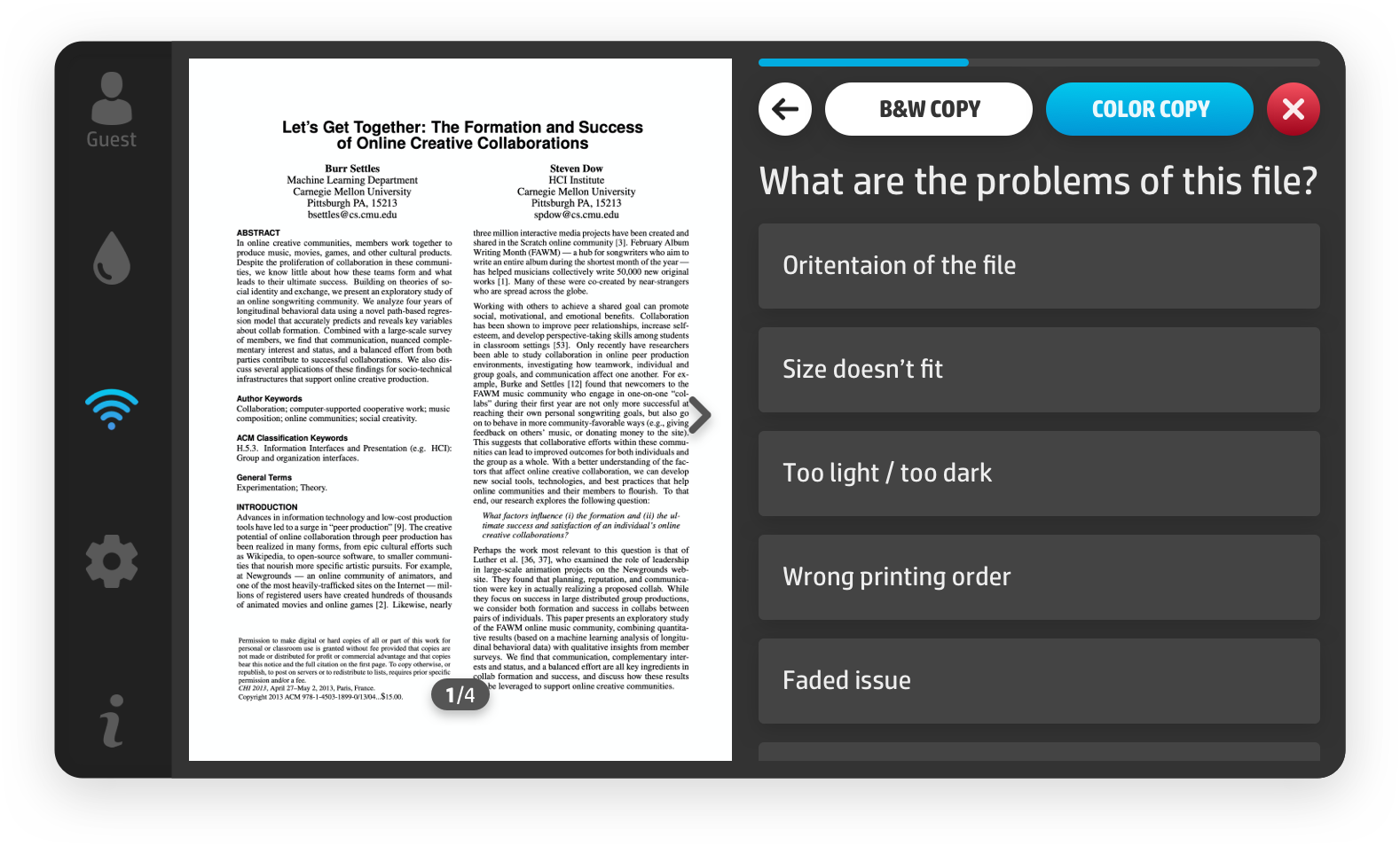
Conversation-based interface. Click here to enjoy the prototype.
This was the first solution I proposed. The highlight of this design is to show available options at the same level in an understandable and organized way so that users can get information atThe idea of the conversation-based interface is on the other side of the widget-based interface in terms of the way of navigation. The highlight of this design is to offer users with step-by-step guided experience. a glance.
- regard empathy as the first priority
- deep hierarchies
- reduce confusion and uncertainty
In this interface, users are asked to make only one decision at a time and each option is equipped with more details than the first solution so that users are more likely to get their desired outcomes. Moreover, the conversation-based interface can humanize the printer and make users feel smart and friendly.
Internship Overview

The new UI was going to be applied on printers used at home or small office and targeted on productivity.

Designing for the printer is different from designing for the mobile phone or the laptop. Different printers have different functions with corresponding physical cues. The new UI should consider target printers' capability and follow the physical cues. "This new user interface is used on the type of printers made for home and micro-business scenarios and will support the highest level of productivity for basic and complex functions. This type of printers has high-quality color graphics display and full sound feedback."
Top 3 target users' printing motivations are smart, productive, and successful.
Top 3 target users' printing inhibitors are time-consuming, wasteful, and unsatisfactory.
The target users for this type of printers can be categorized into two types based on their printing behaviors and patterns: Warriors and Embracers.
- Warriors are ambitious and resourceful people, building achievements in their lives and using print for the advantage.
- Embracers are engaged, active people who use technology and print to help them live their personal, professional and family lives to the fullest.


By conducting competitive analysis and heuristic evaluation, I found that the problems of existing control panel experience are complicated, inefficient, unintuitive and unattractive.

To be the pioneer of the user experience in the print industry, the positioning of the outcome should be comparable to the smartphone rather than any existing printers.
According to the result from research, the standard of the control panel user experience for the print industry is behind the trend in terms of other technologies. Because of the popularity of the smartphone, it is one of the devices that reveals the latest and best screen interactions.
Four aspects of the smartphone that the target printer should learn from —
- More Efficient Information Architecture
- Good Interaction Design
- Appealing Visual Elements
- Better Touch Dynamics (e.g. response rate, control precision, etc.)
As a designer, I strived to achieve the first three aspects when I was working on my design. Since I believe the 4th aspect is also significant to offer the user a better experience, I communicated with the mechanical engineers to explore the possibilities to consider this physical issue when making future printers.

Considering the target users' current concerns and future needs, the new user interface should value efficiency, responsiveness, intelligence, and delightfulness.
To implement these values under context, I brought forward four concepts to the design solution: multitasking, customization, automation, and dynamic preview.
CONCEPT 1
Now most existing printers in the market were unable to handle multiple tasks at a time. Multitasking could help users enhance task efficiency while maintaining productivity.

Multi-user operating system
A productive printer typically has 3 to 10 active users. The design of a multi-user operating system lays as a foundation for advanced functions about customization and automation and aims for better information security.
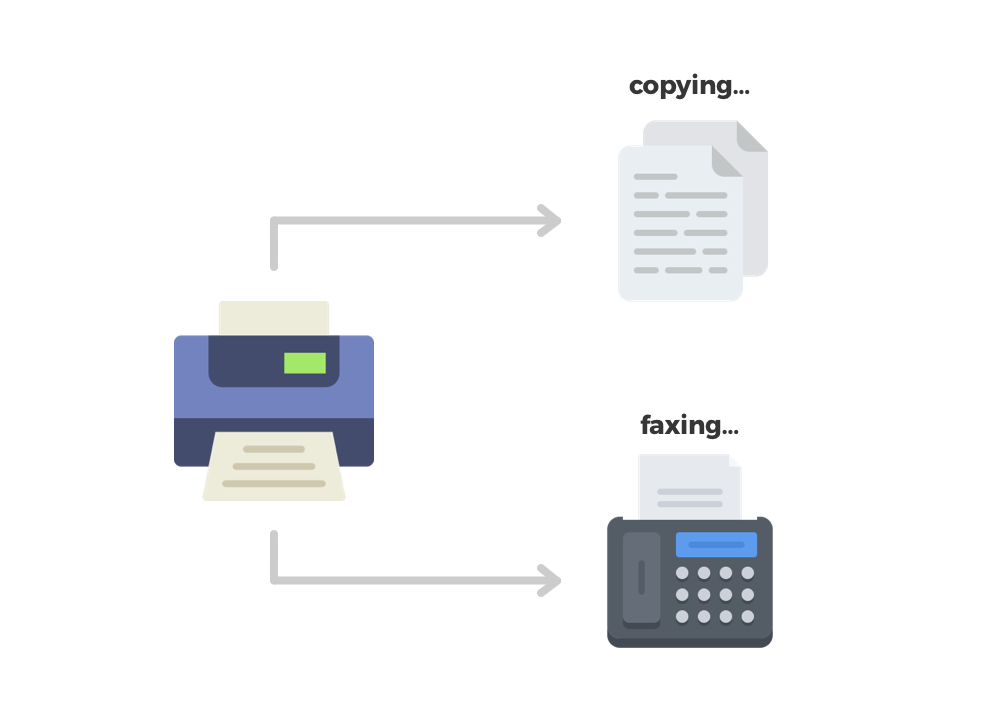
Different types of jobs can work simultaneously
Existing printers can only do one task at a time. Some jobs may take a long time to complete. If the printer can do more than one type of task simultaneously, users can save lots of time and get their jobs done quickly.

Do not have to wait for scanning
During scanning, the printer allows users to change settings (e.g. number of copy, edit file) at the frontend when scanning the file at the backend.

Do multiple tasks on the same file without extra scan
After a task is successfully done, the printer will ask the user whether they want to do another task for the same file.
CONCEPT 2
Like a good friend, the printer knows users and understand their needs. According to current scenarios, customization allows the printer to give information selectively rather than throwing everything to users, which makes their decisions much easier.

Give options accordingly based on users’ decisions
To prevent overwhelming or confusing users, the new design avoids throwing numerous choices for them. According to users’ actions, the printer hides irrelevant settings in order to reduce the user’s cognitive load.
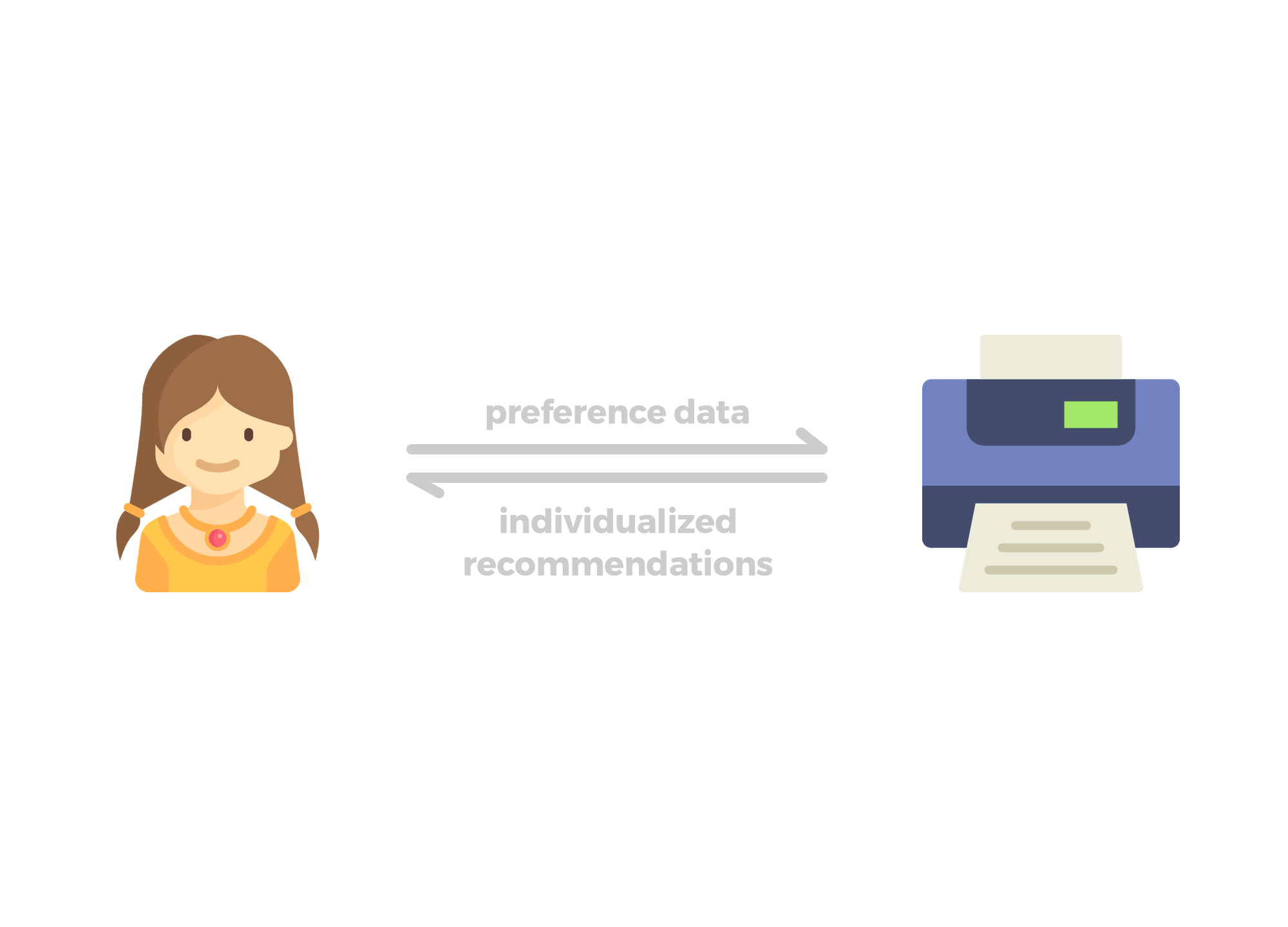
Remember user preferences and curate recommendations
The multi-user operating system will remember each user’s unique habits and adjust itself to better serve them.
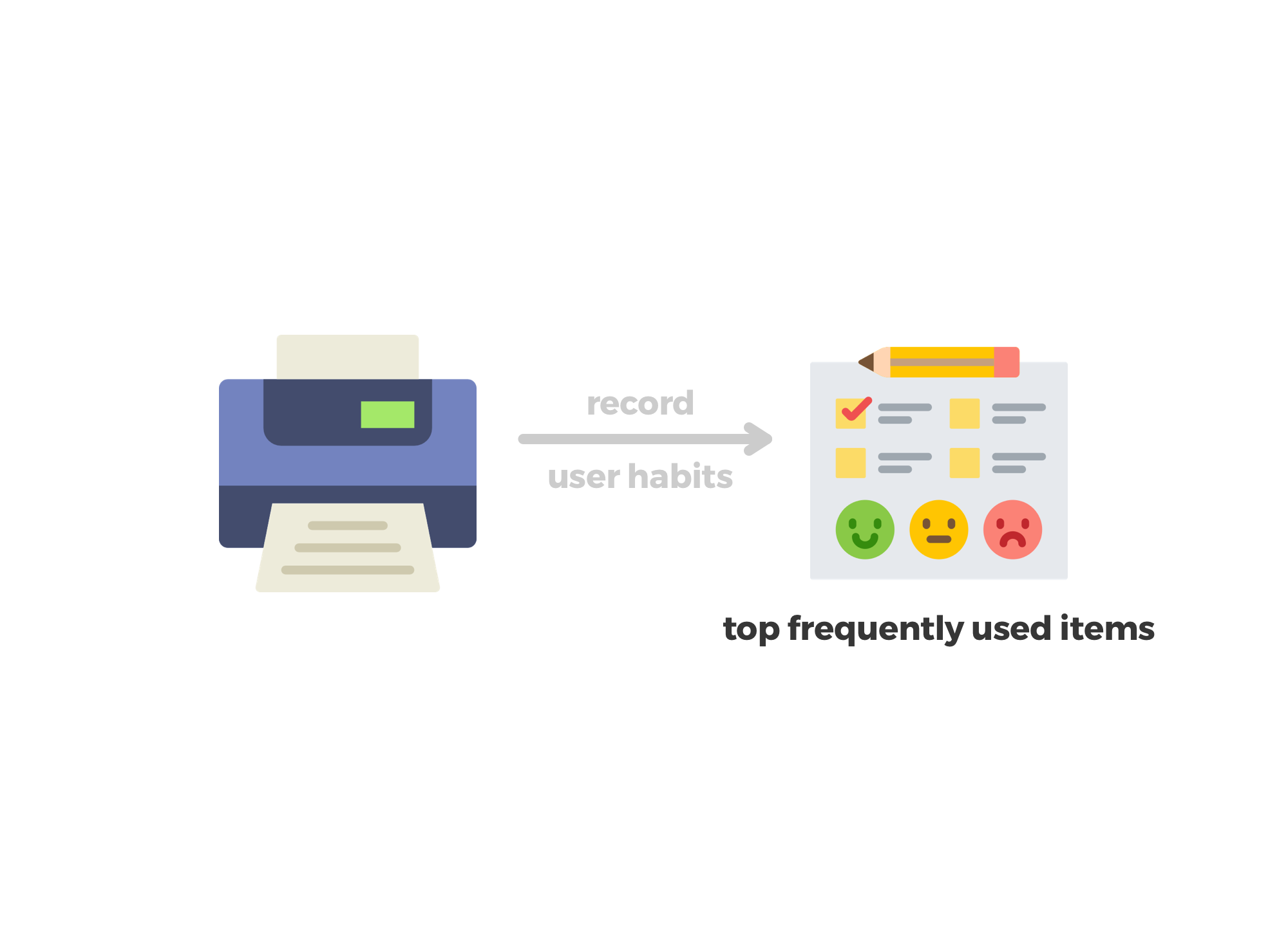
Put the most frequently used items on the top
The printer records users’ behavior patterns and accordingly put the most frequently used items or settings or pre-fills information for users.
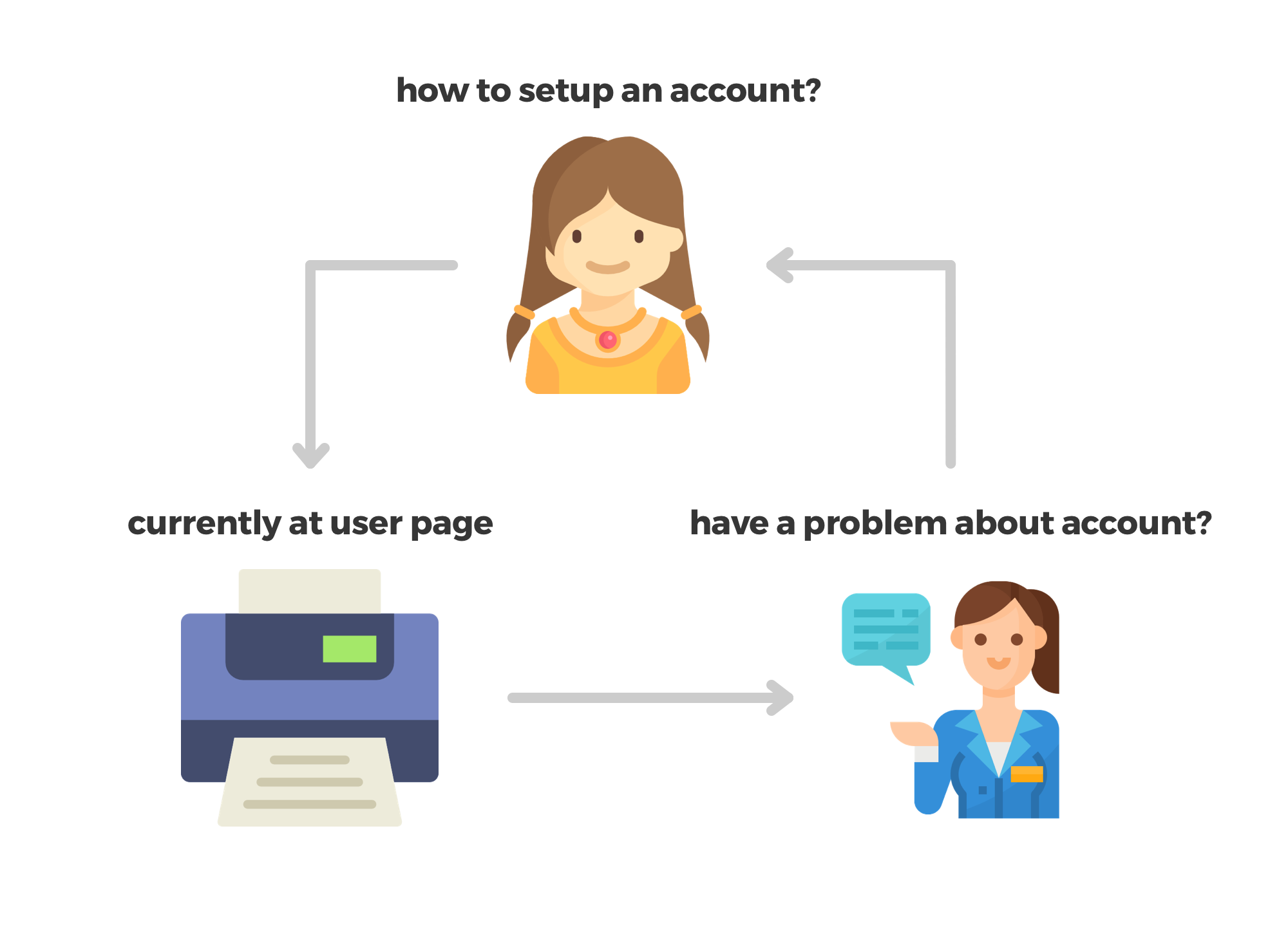
Offer contextual assistance based on current user status
The help menu will be organized based on the relevance of the user’s current step where the user clicks the help button.
CONCEPT 3
Automation is the trend to enhance the intelligence of the machine. Automating steps that can be solved by the printer itself will significantly improve the efficiency of users' tasks.

Detect user’s identity without manual login
Recognizing who is currently using the printer without manual login can help users get their jobs done quickly. One effective method to accomplish this is to detect user’s identity through Bluetooth.
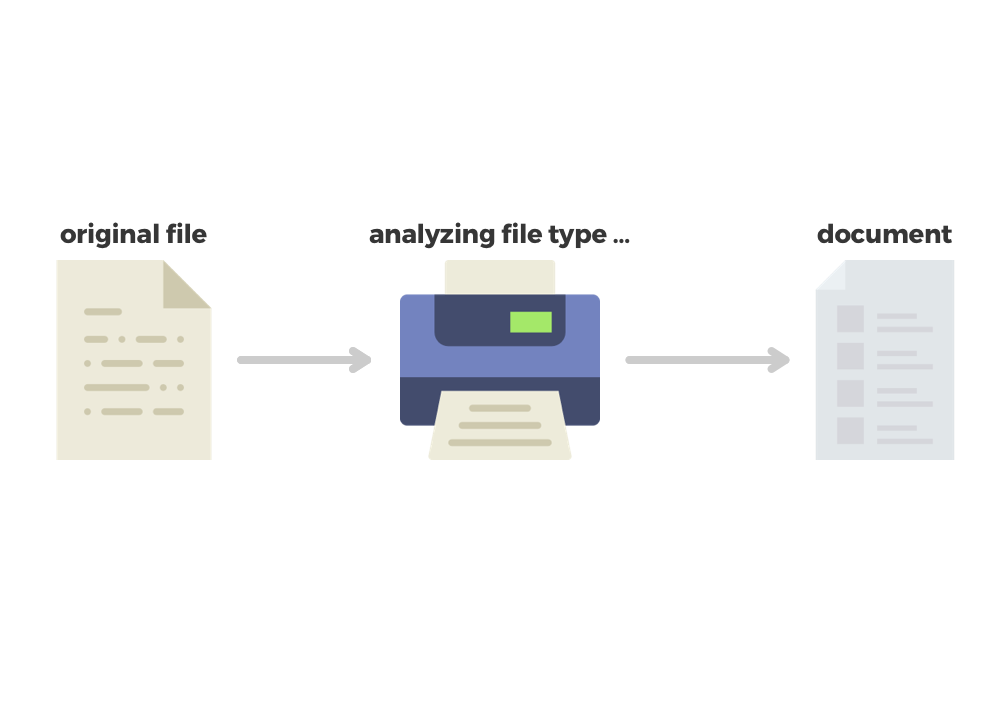
Detect the file type intelligently
The options for different file types will be different. If the printer can detect the file type through image recognition, the system can better help users decrease noisy choices.

Start scanning automatically after closing the scanner
After the user turns the file for second-page scanning, the printer can detect the user’s page turn behavior and start scanning without asking for extra confirmation.
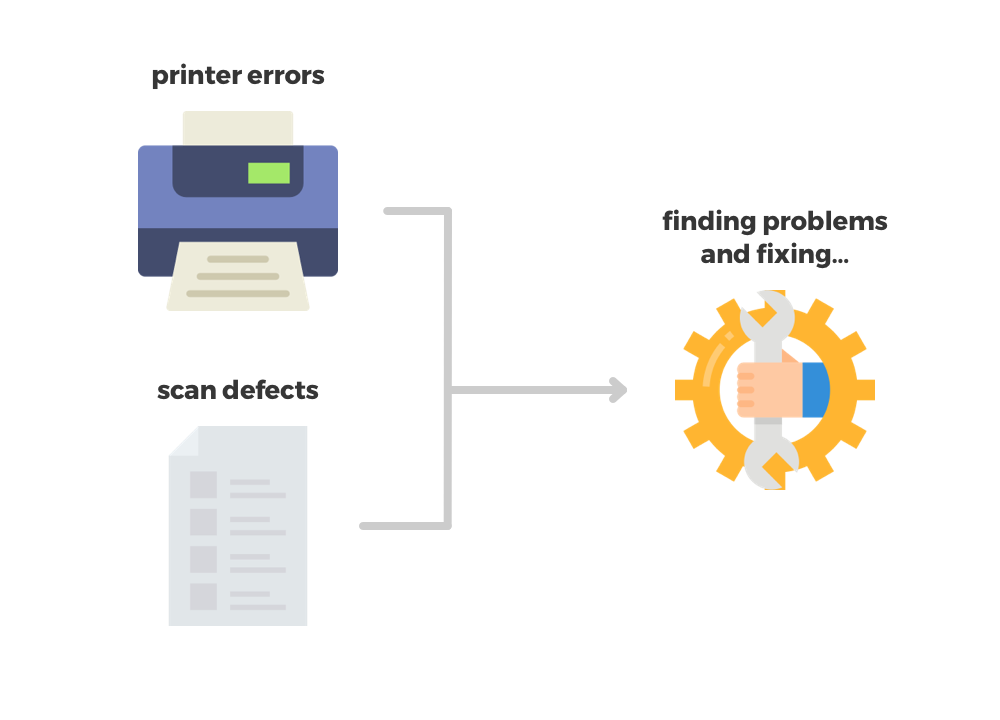
Fix common copy issues automatically
1) Correct the black areas emerging during copying;
2) Adjust printing quality when printing for photos;
3) Maintenance works automatically when common problems happen.
CONCEPT 4
Dynamic preview helps users to prevent errors and make their changes more intuitive, which accords with target users’ motivation and counteract inhibitors.
Although many printers now have the preview function, none of them places it in an important position and its usage rate among target users is low. The major reason for the low usage rate is that users do not want to wait for the preview scanning. This concern can be solved with the help of multitasking.The first step of every task that involves physical file is to ask the users to place their files on the scanner. After users close the scanner, the printer starts to scan their files automatically and shows the review in real-time. Next to the preview section, users are able to operate file settings during the scanning. The outcomes of changes will also be displayed in real-time after scanning is done.
By reorganizaing the information architecture and user flows, the new design aimed to boost the printing experience from an innovative perspective. Here takes the copy flow as the example.

Guiding by the above values and concepts, I proposed two design prototypes with two different navigation modes: widget-based interface, and conversation-based interface.
SOLUTION 1
Widget-based interface. Click here to enjoy the prototype.
This was the first solution I proposed. The highlight of this design is to show available options at the same level in an understandable and organized way so that users can get information at a glance.
- regard efficiency as the first priority
- flat hierarchies
- reduce clicks and scrolling
When I presented the widget-based interface to stakeholders in the meeting, its simplicity of understanding was challenged. They worried that showing too many options on one screen might overwhelm users. Therefore, I explored many ways of interaction and then proposed the conversation-based interface to deal with this concern.
SOLUTION 2
Conversation-based interface. Click here to enjoy the prototype.
This was the first solution I proposed. The highlight of this design is to show available options at the same level in an understandable and organized way so that users can get information atThe idea of the conversation-based interface is on the other side of the widget-based interface in terms of the way of navigation. The highlight of this design is to offer users with step-by-step guided experience. a glance.
- regard empathy as the first priority
- deep hierarchies
- reduce confusion and uncertainty
In this interface, users are asked to make only one decision at a time and each option is equipped with more details than the first solution so that users are more likely to get their desired outcomes. Moreover, the conversation-based interface can humanize the printer and make users feel smart and friendly.
The result of user testing shows the overall satisfaction rate for the new design is 92%. More participants prefer the widget-based menu to the conversation-based menu but the difference is not significant.
METHODOLOGY
This user testing aimed to test the usability of the new information architecture and the high-level interaction design as well as compare the two solutions and conclude the preference.
Platform

Total Number of Participants
100
Method
- Randomize the order of design solution
- Unmoderated online study
Minimal Requirements
- Work with a printer and use it regularly
- Have a color graphic display with touch interface on the printer
- Have used the printer to copy and scan files before
Tasks for Evaluation
- Make 1 color copy of a 1-sided document quickly
- Make 10 color copies of a 2-sided document in correct orientation
- Scan a photo, enhance its quality, and send to your email
Target Age Group
- 18 - 25
- 26 - 35
- 36 - 50
Metrics for Evaluation
- Time spent per task
- Task completion and success
- Ease of use per task
- Ease of use per solution
- Likes and dislikes per solution
- Overall experience
- Preference between two solutions
Target Region
- United States
- United Kingdom
- Canada
- Australia
- India
- Germany
PREFERENCE
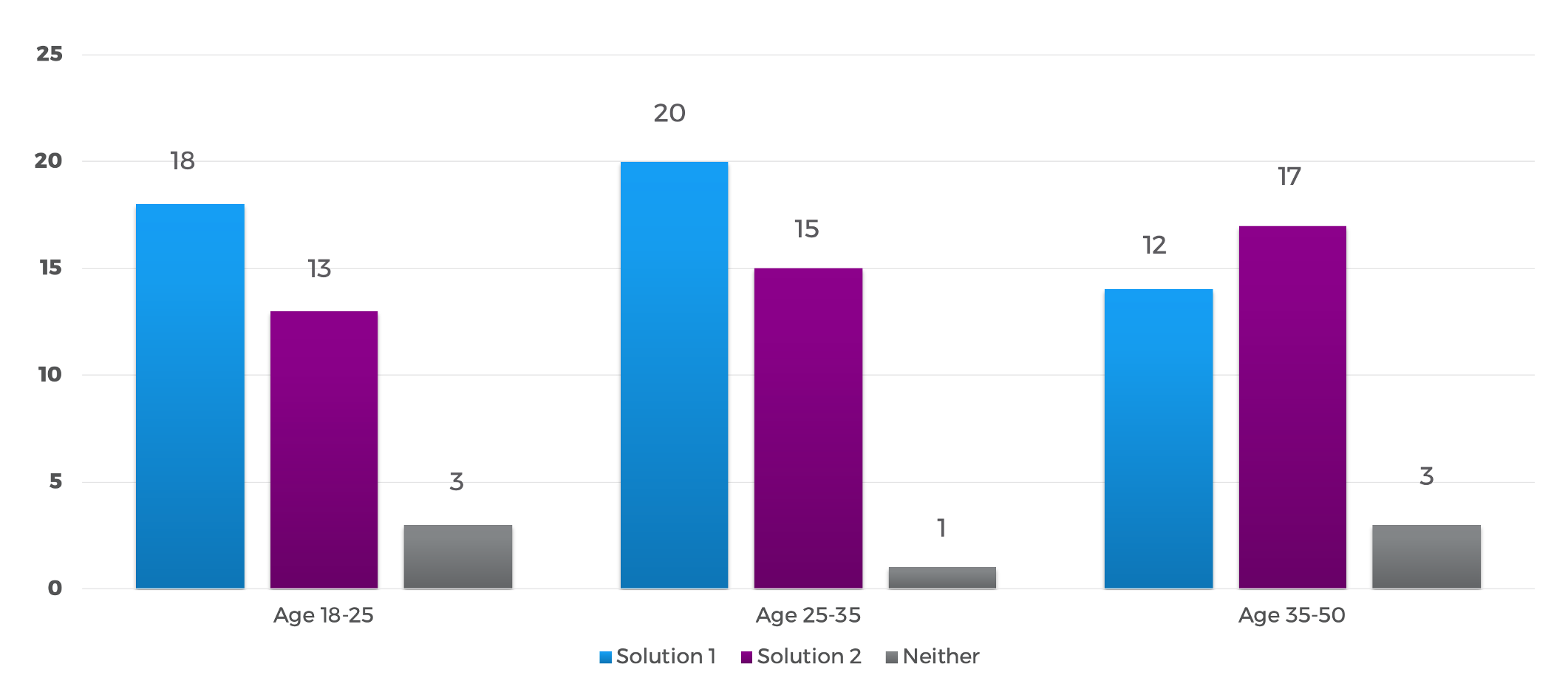
More people prefer the widget-based solution, but the difference is considered not significant. Younger people prefer the widget-based interface while elder people prefer the conversation-based interface. The reason might be that younger people value more on efficiency while elder demographics value more on simplicity. Younger people are more familiar with technologies and more flexible to digest more information at a time than elder people.

EASE OF USE
In terms of the difficulties for three tasks themselves, Task 1 - easy, Task 2 - difficult, and Task 3 - medium. The overall ease of use basically reflect this difficulty pattern. Participants rated widget-based interface easier than conversation-based interface in general.

Participants rated conversation-based interface easier than widget-based interface for task 1. The reason might be that conversation-based interface had clearer instruction so that participants were more confident with their actions, especially for simple tasks. However, it did not perform well for task 2 primarily because it involved more steps than the other solution. Task 3 is actually easier than task 2 because people are more familiar with this type of task, but it has more steps than task 1. Therefore, participants were able to complete it without very detailed instructions and felt annoying when there were more clicks which they had to make.
KEYWORDS
Automation is the trend to enhance the intelligence of the machine. Automating steps that can be solved by the printer itself will significantly improve the efficiency of users' tasks.
Widget-based Interface
Positive Feedback
- familiar
- easy and timesaving
- freedom of control
- better for office use
Negative Feedback
- clutter
- confusing
- overwhelming
- easy to make errors
Conversation-based Interface
Positive Feedback
- clear and helpful
- adaptive and smarter
- confident and enjoyable
- approachable and user-friendly
Negative Feedback
- deep
- tedious
- waste time
- smaller buttons
TAKEAWAY
In conclusion from participants’ comments, over half of the testing participants mentioned that integrating the advantages of the two solutions would be a better choice.
From Widget-based Solution
- Widget menu can simplify complex tasks
- Users prefer to change settings without leaving current page
- Fast copy based on default setting can improve simple tasks’ efficiency
- Large buttons can reduce errors and make control easier
- Has better layout of elements and uses space more efficiently
- Younger users prefer this solution
From Conversation-based Solution
- Detailed conversational instructions can minimize confusions and reduced errors
- Using visual aids can help users better understand complicated instructions and get what they want faster
- It is smarter and more approachable
- It should show detailed instructions only when necessary and helpful
- Elder users prefer this solution
Other Takeaways
- Most users value simplicity as the top priority
- Need a faster and more convenient login method
- Need to design a faster flow for expert users
- Novice requires more guidance and detailed instructions
- Consider the design for multiple users or jobs to provide more personalized services
contact


.png)


.png)
.png)
contact
contact